 Omni
Omni
Search your Mac by meaning.
Every file. Any language. Fully airgapped.
MD5 08803713d4e773ec6c3e5ac954706c72
Built for files that never sit still.
2.7Mfiles in one index
19 msto search all of them
90%less work when a file grows
Liveedits, moves and deletes apply in place
Made like a Mac app.
Finderbrowse, preview and share the way you already do
Metalsearch and every model on the GPU
0 bytesleave your Mac, ever
Opensource, Apache 2.0
One index for everything.
Every file
Text, code, PDFs, images, audio, video.
Any language
Matched by meaning, not keywords.
Search by file
Drop an image, a clip or a document.
To the passage
Page 12, Line 1240.
OCR
Scans to Markdown, fully local.
Filters
type: in: date: tag: score:
Duplicates
Stacked into one result.
Folders and Photos
Kept in sync as they change.
Airgapped
Works with the network off.
-
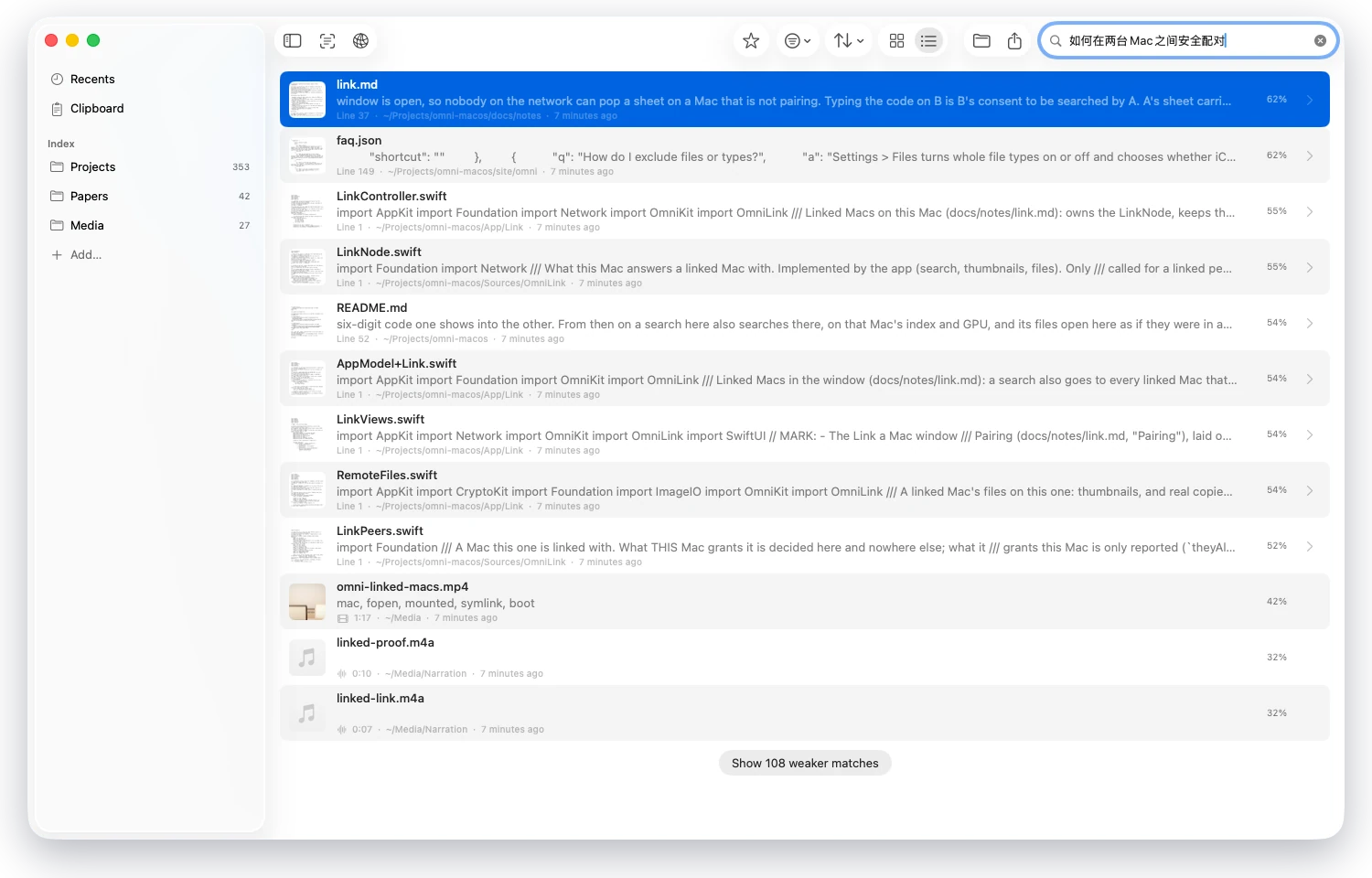
Any languageAsk in Chinese, find English notes, code and recordings. Matched by meaning, not keywords. -
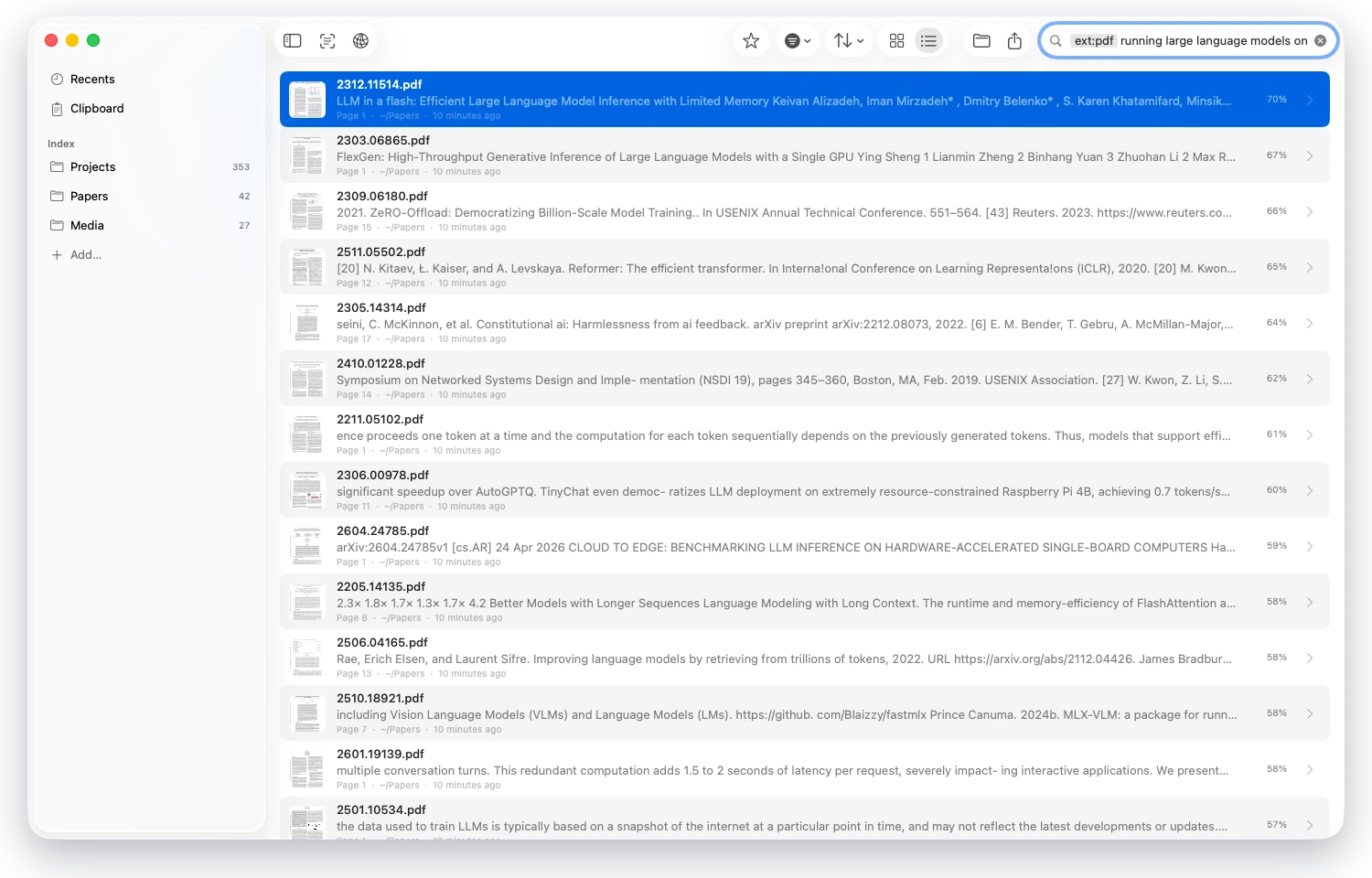
Straight to the passageEvery hit names its page or line and shows the text that matched. ext:pdf keeps it to PDFs. -
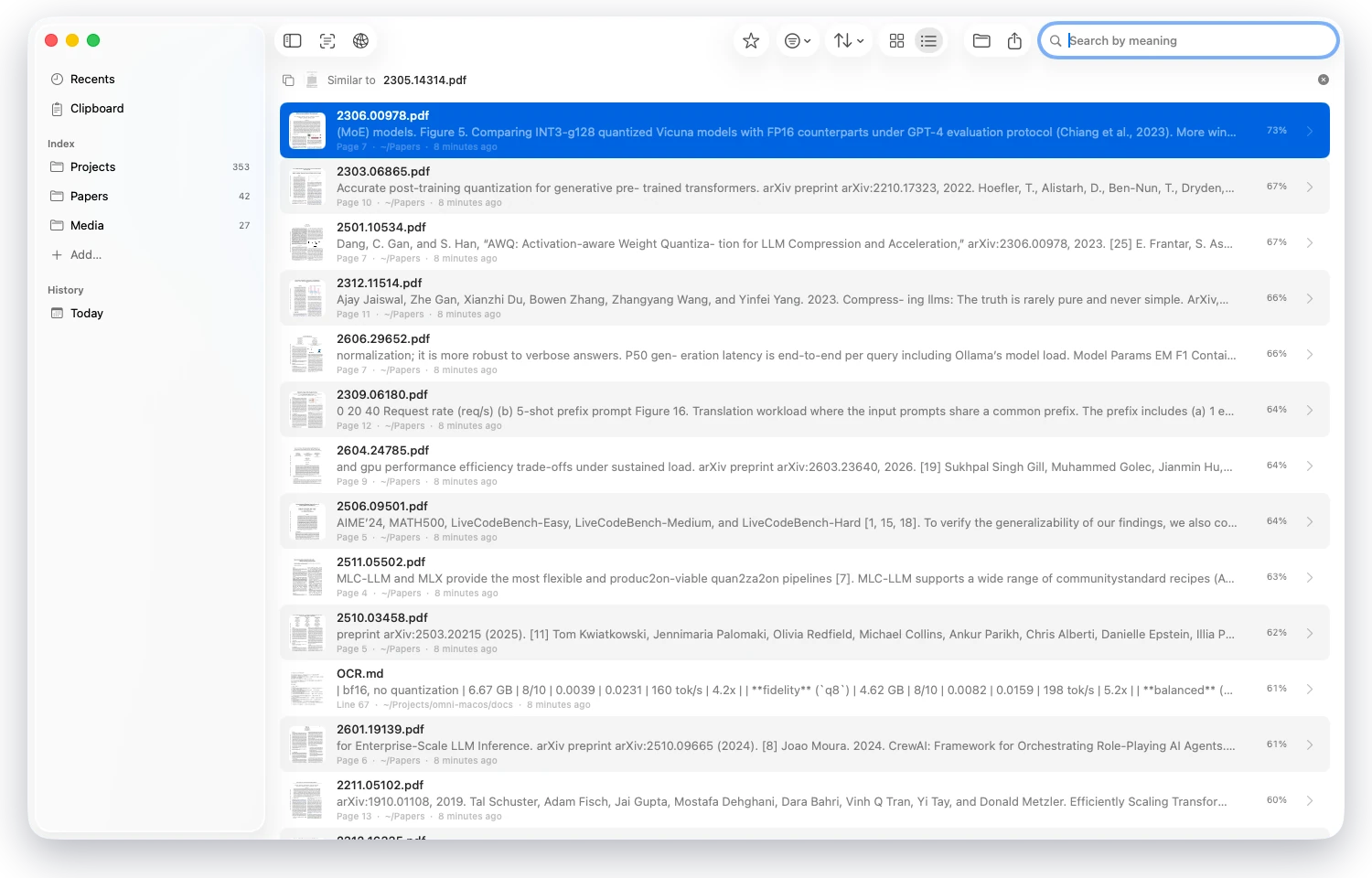
Search with a fileDrop in a document, an image or a clip, or right-click any result for Find Similar. -
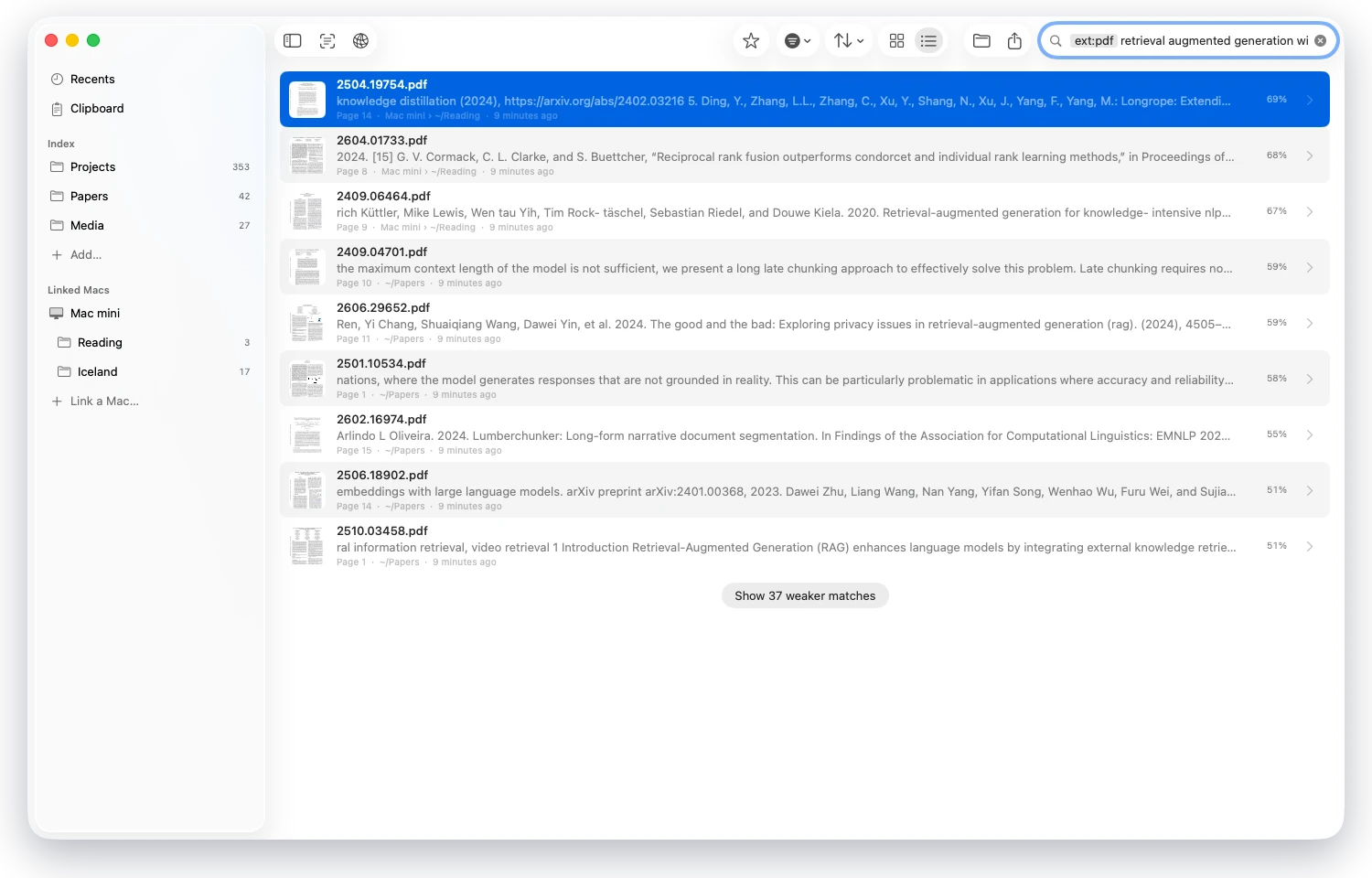
Linked MacsOne search covers your other Macs too, each on its own index. Their files open here. -
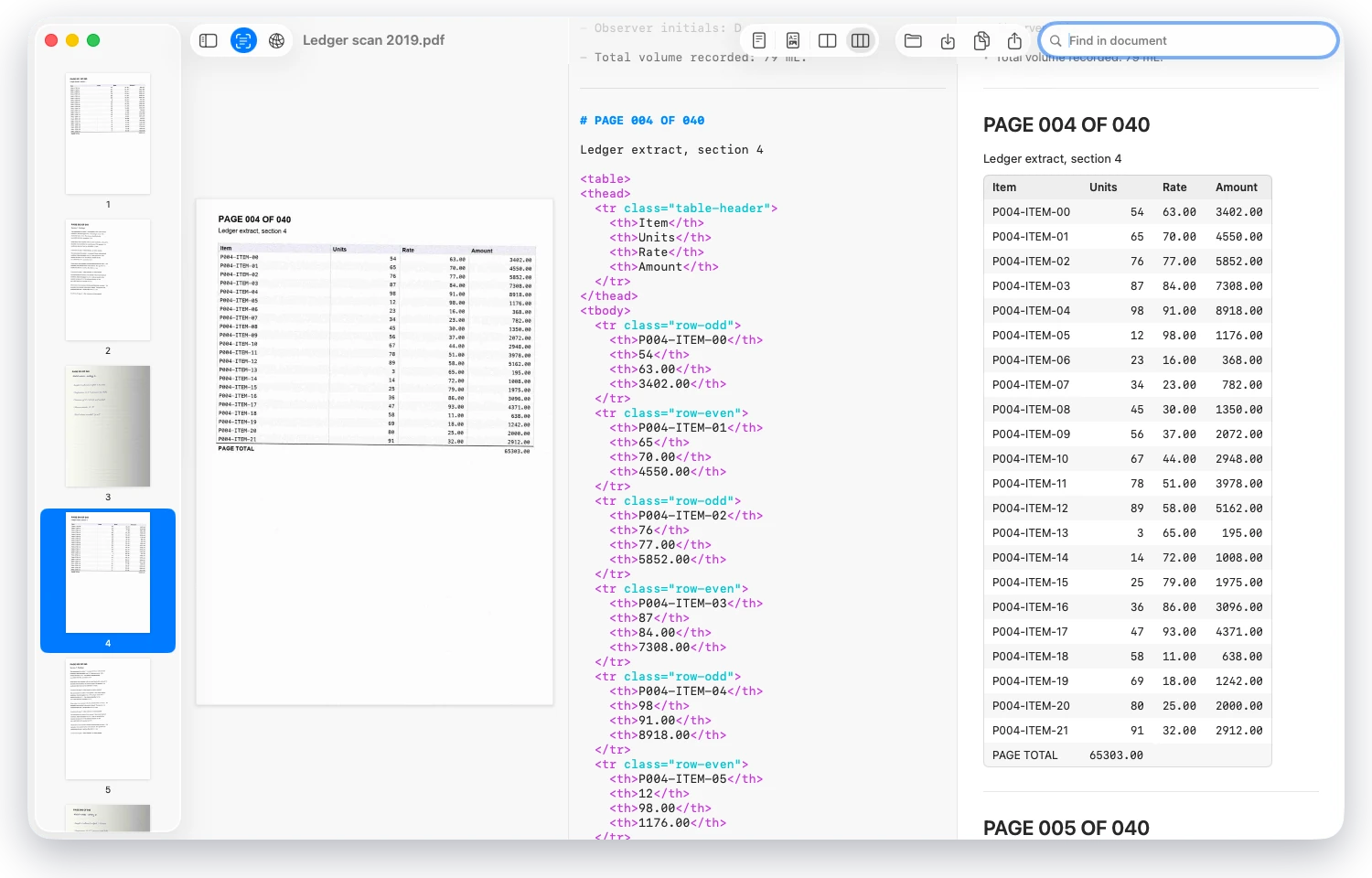
Scans become MarkdownThe scanned page, its Markdown and the rendered result side by side, transcribed on this Mac. -
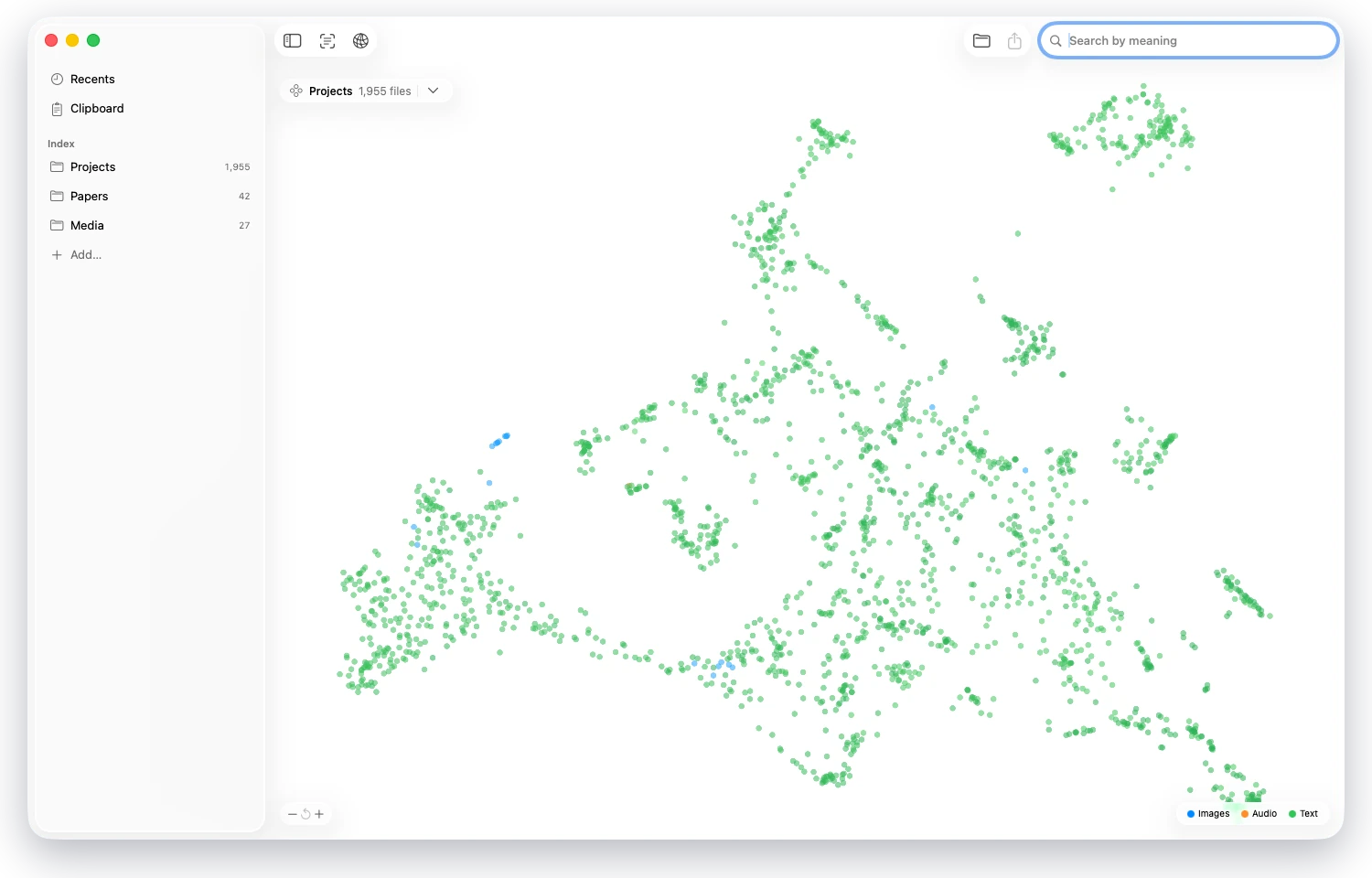
Folders become mapsEvery file in a folder placed by meaning, colored by kind.
Built for agents.
Command line, MCP and HTTP, on this Mac.
# Any shell or agent
omni search "invoice from february" --top-k 5

# Claude Code over MCP
claude mcp add --transport http omni http://127.0.0.1:51234/mcp

# Any HTTP client
curl http://127.0.0.1:51234/v1/search -d '{"query": "invoice from february", "top_k": 5}'
- Search
/v1/search- OCR
/v1/chat/completions·/v1/ocr- Embeddings
- OpenAI · Jina · Cohere · Gemini
- Tags
/v1/tag·/v1/files/tags- Index
/v1/sources·/v1/files/status- Command line
omni· SKILL.md- MCP
- 10 tools
Benchmarks.
Community runs on the same generated data.
Loading community benchmarks…
FAQ
Loading…
Paper
omni-macos: On-Device Omni-Modal Search on Apple Silicon
@inproceedings{xiao2026omnimacos,
  title     = {omni-macos: On-Device Omni-Modal Search on Apple Silicon},
  author    = {Xiao, Han},
  booktitle = {NeurIPS 2026 Workshop on On-Device Intelligence},
  year      = {2026},
  eprint    = {2608.05543},
  archivePrefix = {arXiv},
  url       = {https://arxiv.org/abs/2608.05543}
}